






Best CATIA Courses Online by Tata Technologies


Best CATIA Courses Online by Tata Technologies
As someone who has worked closely with engineers and built CAD training programs at Tata Technologies, I’ve seen how the right learning approach can completely change a career. One common challenge I notice is that when people start searching for the best CATIA courses online, they often get lost in too many options that lack real structure and practical depth.
The reality is, learning tools like CATIA V5 requires more than just tutorials — it needs a clear, guided path from basics to advanced applications. In this guide, I’ll help you understand what truly makes a course effective and how choosing from the best CATIA courses online can help you build skills that actually matter in the industry.
Table of Contents
What is CATIA Software?
Before diving into the blog, let’s understand what CATIA is. CATIA is a powerful 3D design and engineering software developed by Dassault Systèmes. It is part of the broader CAD (Computer-Aided Design) software category and is also integrated within the 3DEXPERIENCE platform.
It is widely used in industries like automotive, aerospace, and manufacturing to create, analyze, and simulate complex product designs with high precision.
Why CATIA Skills Are in High Demand Today
You may also like to read: SOLIDWORKS Certification: Benefits, Cost & Career Opportunities
The demand for advanced design tools like CATIA continues to grow as industries increasingly rely on 3D modeling, simulation, and digital product development. In fact, recent reports estimate that the global CAD software market is expected to grow from around $13+ billion in 2026 to over $23 billion by 2035, highlighting how rapidly engineering technologies are evolving.
CATIA, especially CATIA V5, plays a key role in this transformation. It is widely used in industries such as aerospace and automotive, where precision, simulation, and complex product design are critical. From designing aircraft components to developing automotive systems, CATIA has become an essential tool in modern engineering environments.
As more companies adopt advanced CAD technologies, the need for skilled professionals is rising. This is why many learners today are actively exploring the best CATIA courses online to build practical, industry-ready skills. Developing expertise in CATIA V5 is no longer just a technical advantage—it’s becoming a core requirement for engineers aiming to stay relevant in a competitive job market.
Top CATIA Courses
When exploring the best CATIA courses online, understanding the topics covered is essential to evaluate how comprehensive and industry-relevant the training is. The CATIA V5 training by Tata Technologies is designed to cover a wide range of topics, from foundational concepts to advanced engineering applications.
The CATIA V5 training covers the following key modules:
- CATIA V5 Interface & Basics Course
- CATIA Sketcher & Part Design Course
- CATIA Assembly Design Course
- CATIA Wireframe & Surface Modeling Course
- CATIA Drafting & Engineering Drawing Course
- CATIA Advanced Surfacing & Design Course
- CATIA Sheet Metal Design Course
- CATIA FTA (Functional Tolerance & Annotation) Course
- CATIA DMU Kinematics Course
- CATIA V5 Hands-on Projects & Practical Training
CATIA V5 Interface & Basics Course
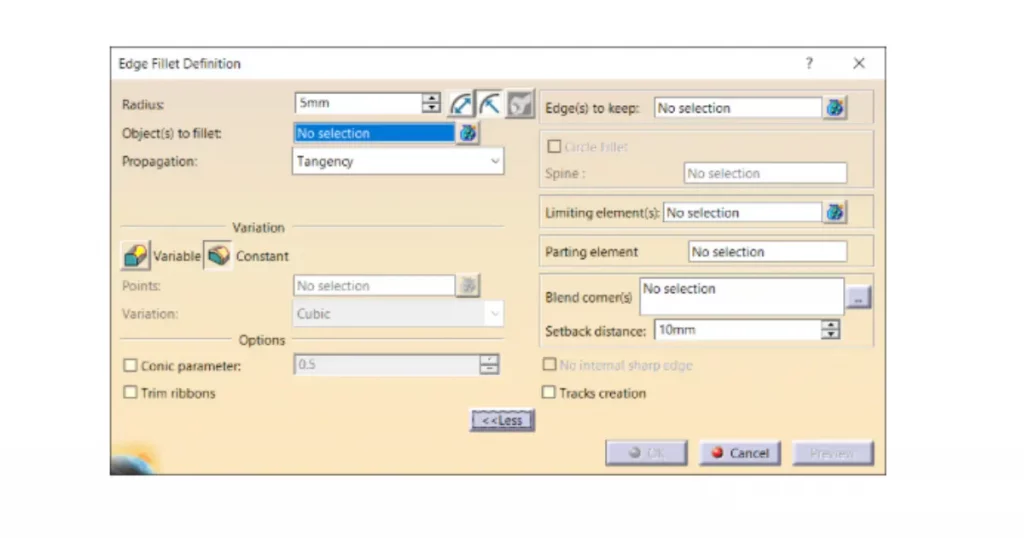
Learn how to navigate the CATIA environment, understand the user interface, and work efficiently with essential tools. This section helps beginners build confidence and develop a strong starting point for their design journey.
Sketcher & Part Design Course
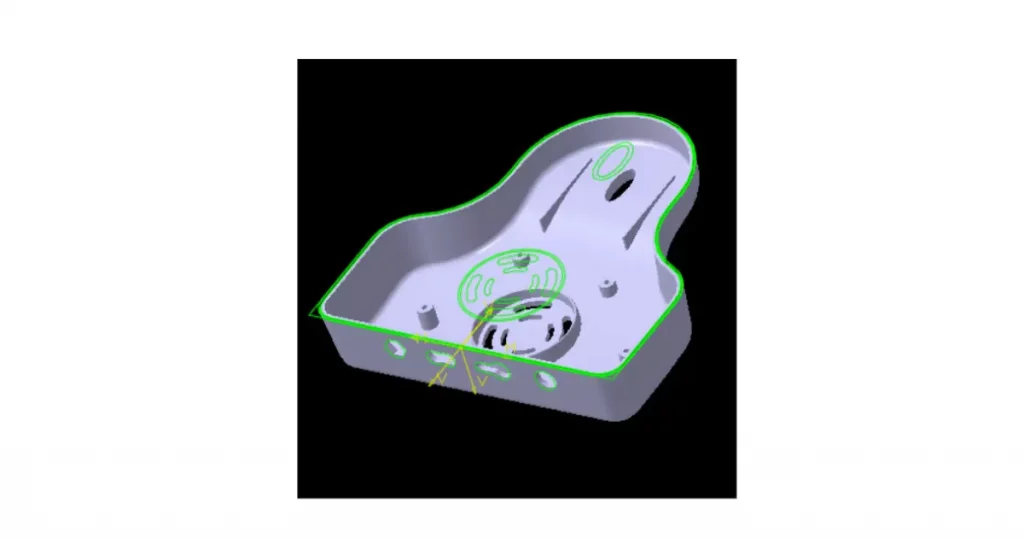
Develop core skills in creating precise 2D sketches and converting them into detailed 3D models. These concepts form the backbone of product design and are used in almost every engineering workflow.
Assembly Design Course
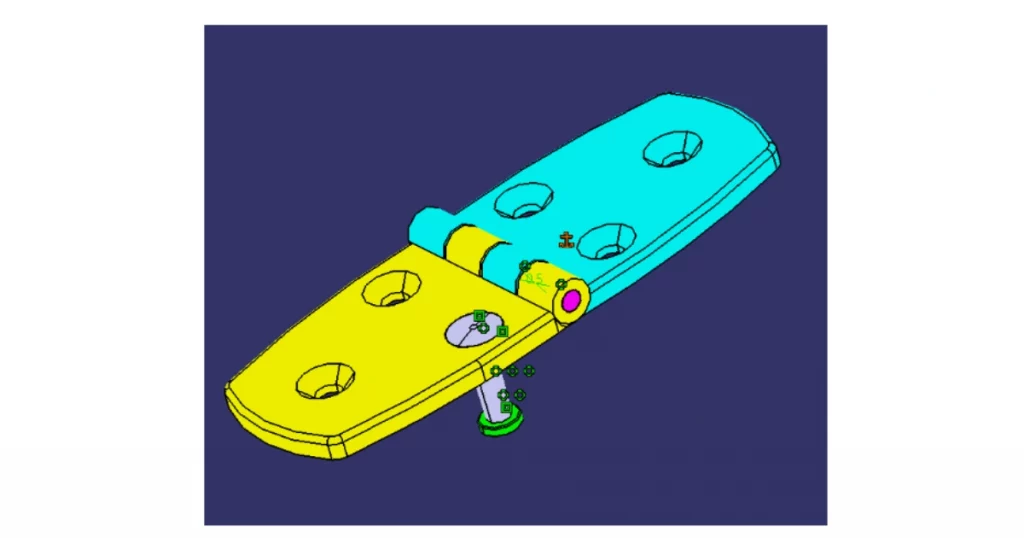
Example of a multi-component assembly model created in CATIA V5 (Source: i GET IT by Tata Technologies)
Understand how to build and manage complex assemblies, define relationships between components, and simulate how parts interact in real-world scenarios. This is crucial for working on large-scale product designs.
Wireframe & Surface Modeling Course
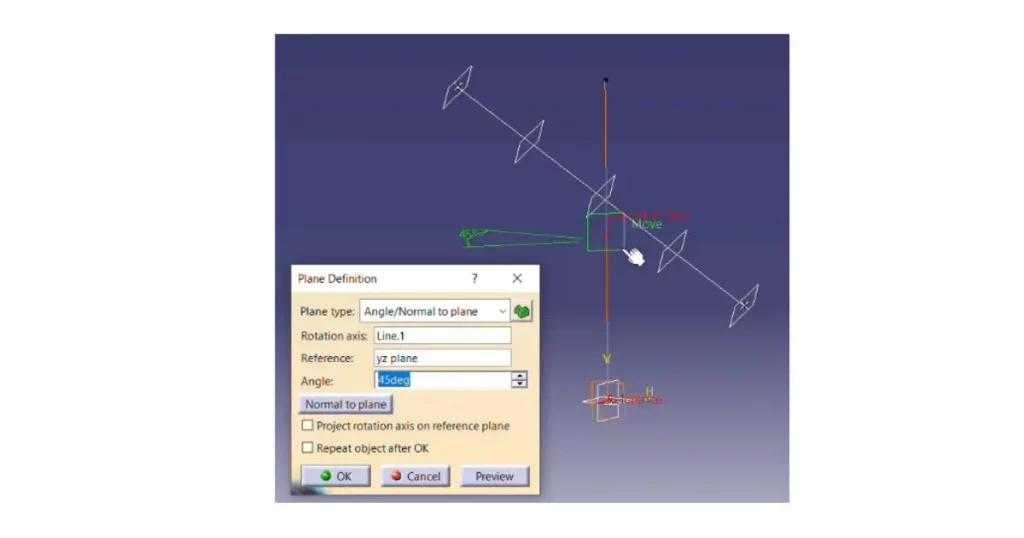
Example of wireframe geometry used for creating reference structures in CATIA V5 (Source: i GET IT by Tata Technologies)
Explore techniques for creating wireframes and surfaces used in designing complex shapes and curves. These skills are especially important in industries like automotive and aerospace where design precision is critical.
Drafting & Engineering Drawings Course
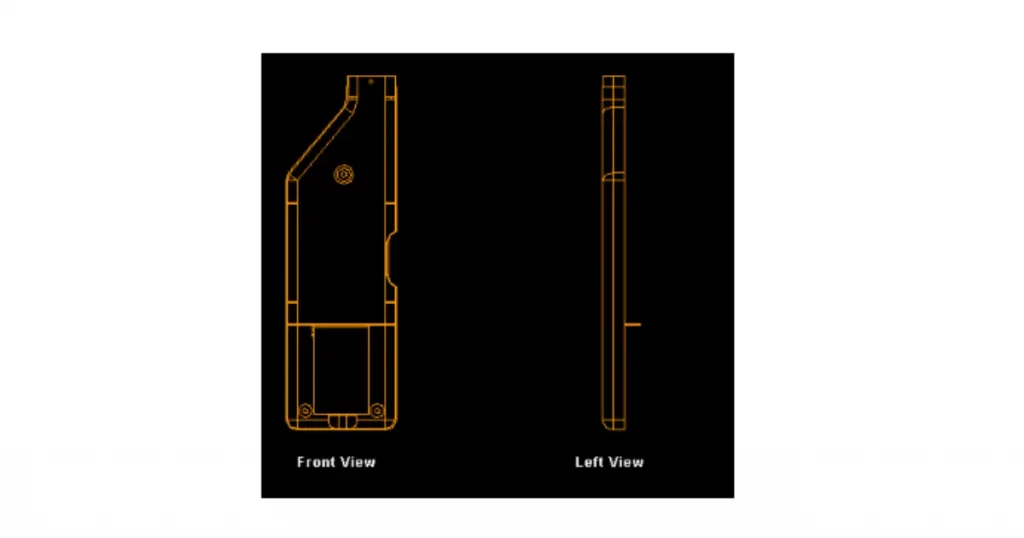
Example of engineering drawings and projection views created in CATIA V5 (Source: i GET IT by Tata Technologies)
Learn how to generate accurate 2D drawings from 3D models. This includes dimensions, annotations, and views that are essential for manufacturing and production processes.
Advanced Surfacing & Design
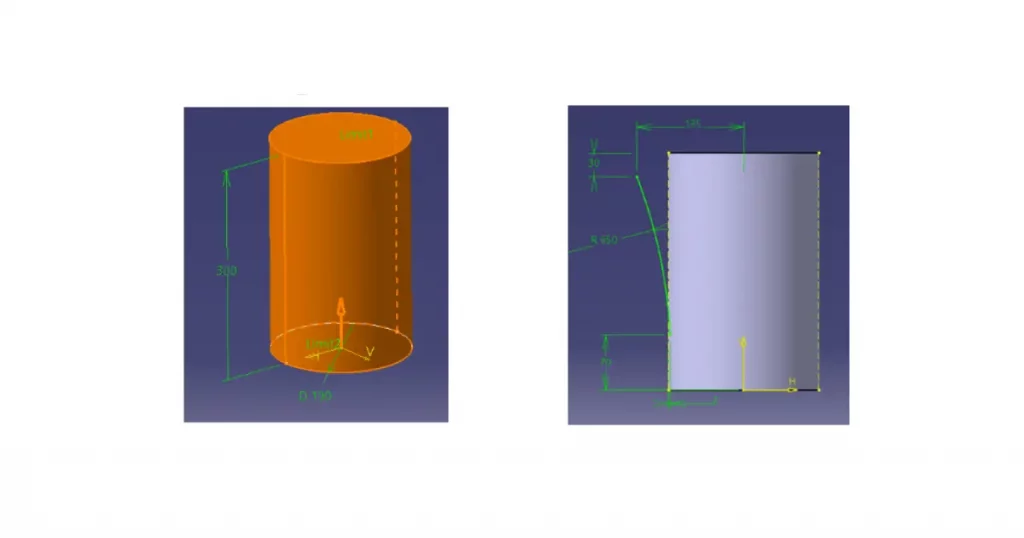
Example of advanced surfacing and profile-based modeling in CATIA V5 (Source: i GET IT by Tata Technologies)
Master advanced tools and techniques for handling complex geometries and intricate designs. This section helps you work on high-level projects that require precision and detailed modeling.
Sheet Metal Design Course
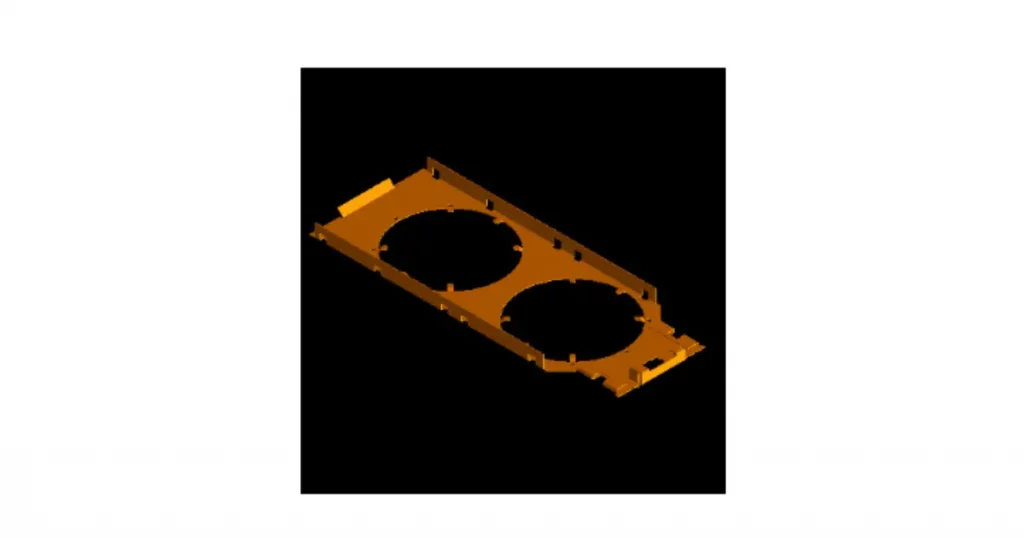
Example of sheet metal component design in CATIA V5 (Source: i GET IT by Tata Technologies)
Gain practical knowledge of sheet metal design processes, including bending, forming, and manufacturing techniques. This is widely used in real-world product development and fabrication.
Functional Tolerance & Annotation (FTA) Course
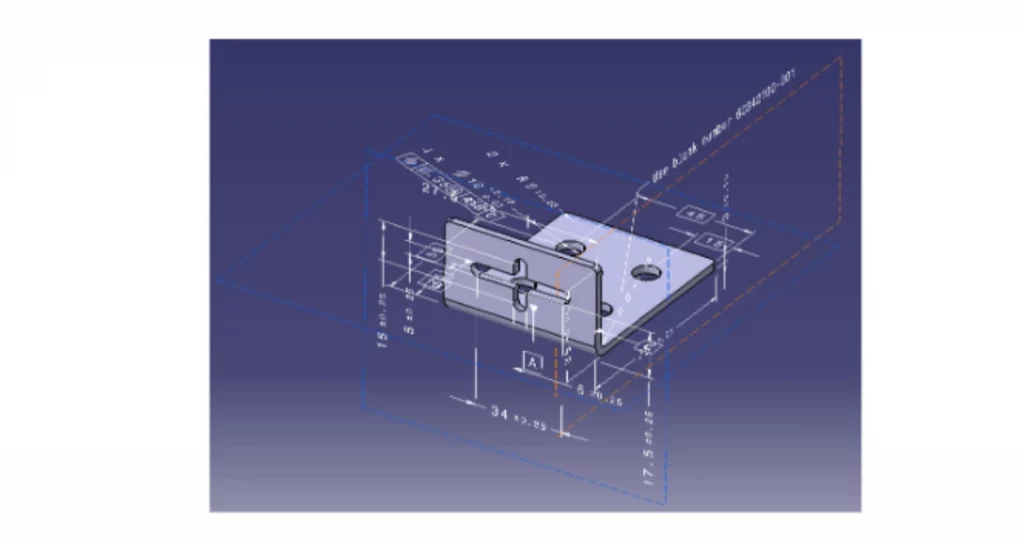
Understand how to apply tolerances and annotations directly to 3D models. This improves design accuracy and ensures better communication between design and manufacturing teams.
Structural Analysis (GAS/GPS) Course
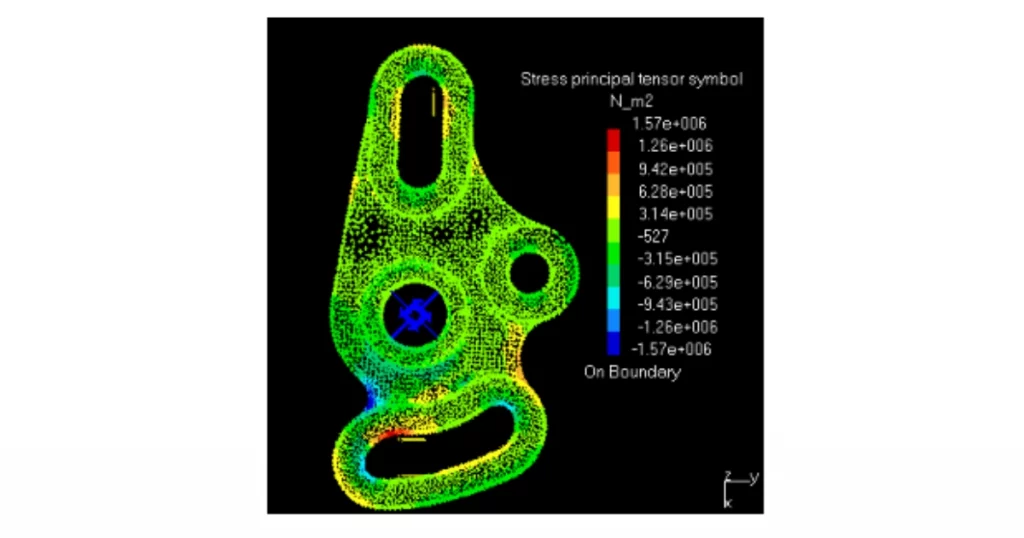
Learn how to evaluate the performance of your designs under different conditions. This includes analyzing strength, behavior, and reliability, which are essential for engineering validation.
DMU Kinematics & Space Analysis Course
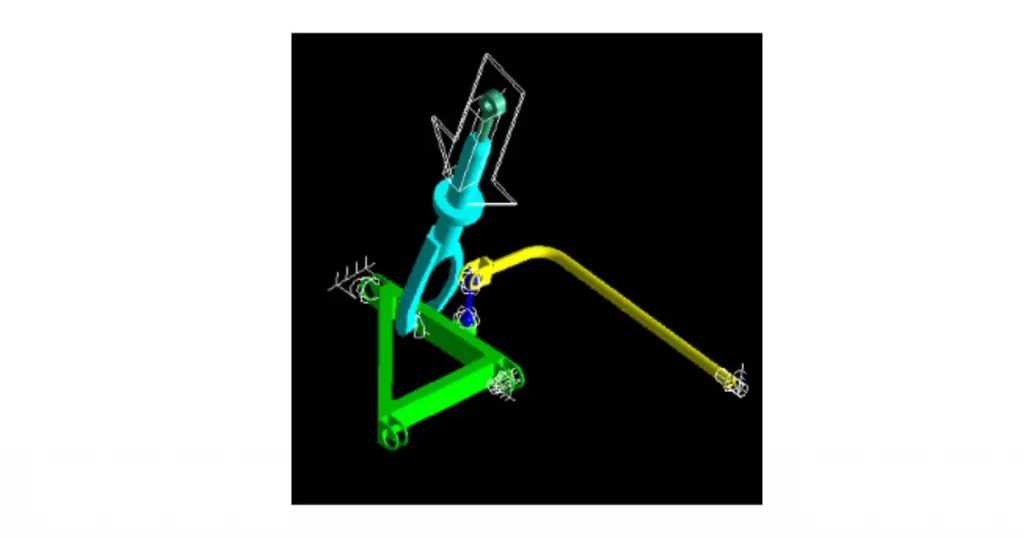
Example of mechanism simulation and joint movement in CATIA V5 DMU Kinematics (Source: i GET IT by Tata Technologies)
Work with simulation tools to study motion, mechanism behavior, and spatial relationships within assemblies. These skills are important for validating design functionality before production.
Industry-Focused Learning (Aerospace & Automotive) Course
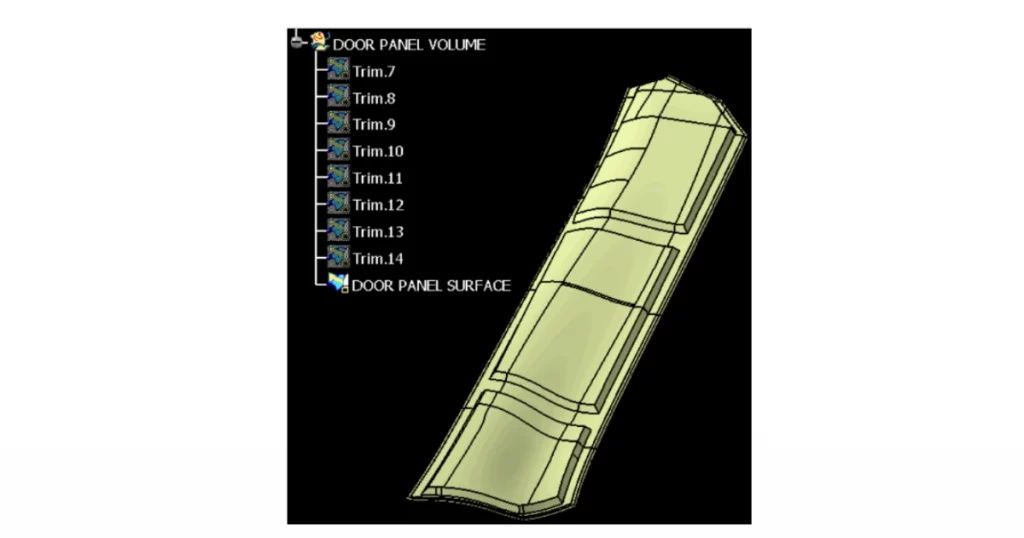
Get exposure to how CATIA is used in real industries like aerospace and automotive. This helps bridge the gap between learning software and applying it in real engineering projects.
Career Opportunities After Learning CATIA V5
Learning CATIA V5 opens up career opportunities in industries like automotive, aerospace, and manufacturing. With the growing demand for design and simulation skills, professionals trained in CATIA are highly valued.
Some common job roles include:
- Design Engineer
- CAD Engineer
- Mechanical Design Engineer
- Product Design Engineer
With experience, you can also move into advanced areas like surfacing, simulation, and product development.
CATIA V5 Salary in USA
Here’s a breakdown of typical CATIA V5 salaries in the USA across various roles. This helps you understand how earning potential grows with experience and specialization.
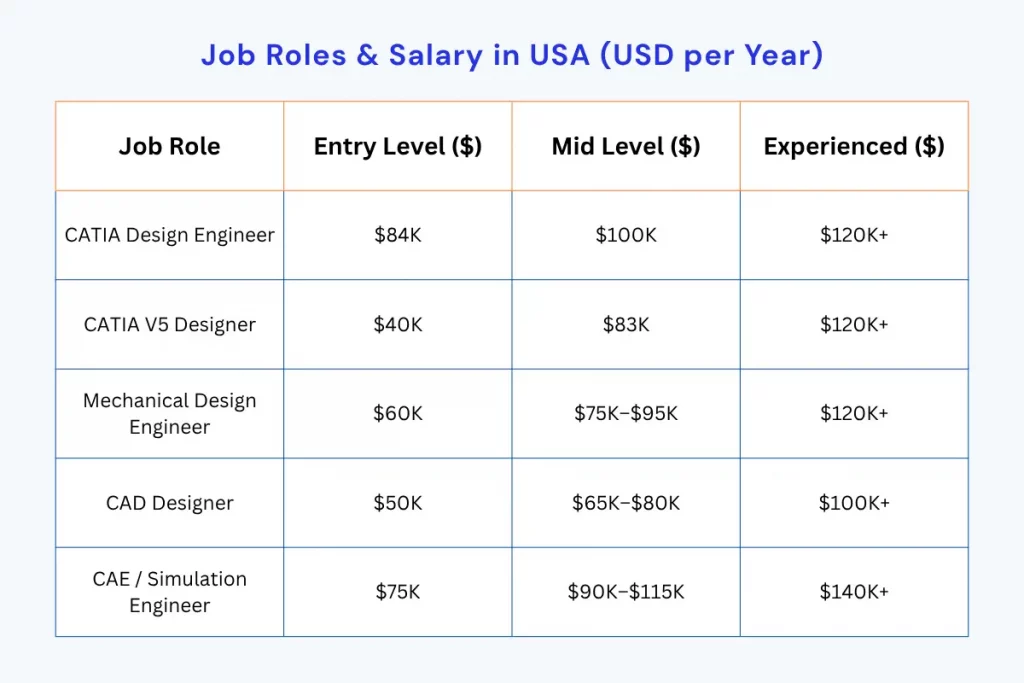
Salary figures are approximate and based on publicly available data from platforms like Glassdoor and ZipRecruiter. Actual salaries may vary depending on experience, location, and specialization.
Free CATIA V5 Tutorials for Hands-On Learning
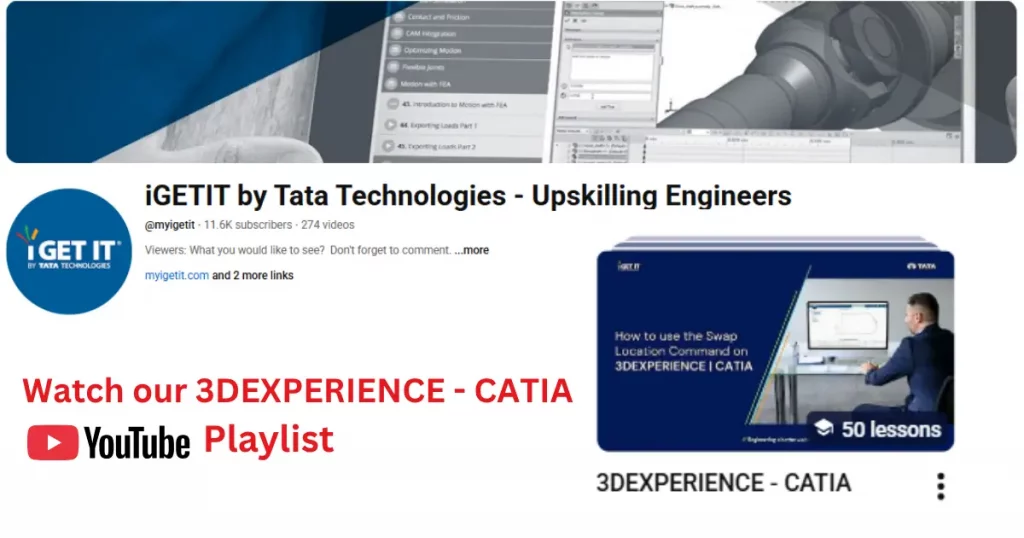
Along with structured training, practical learning plays a key role in mastering CATIA. To help you understand real-world workflows and commands, you can explore free tutorials covering both CATIA V5 and 3DEXPERIENCE CATIA environments.
This curated playlist by Tata Technologies includes step-by-step demonstrations of essential commands, modeling techniques, and real engineering workflows to help you build practical skills.
Conclusion
If you’re planning to learn CATIA, the most important advice is this—focus on how you learn, not just what you learn. CATIA V5 is a powerful tool, but without a structured approach, it’s easy to get stuck in basic concepts without building real, practical skills.
Start with strong fundamentals like sketching and part design, then gradually move towards advanced topics such as assembly design, surfacing, and simulation. This step-by-step progression is what helps you apply CATIA in real-world engineering scenarios, not just understand it theoretically.
When choosing from the best CATIA courses online, look for programs that offer hands-on practice, industry-relevant modules, and a clear learning path. Platforms like Tata Technologies provide this kind of structured training, helping you build skills that align with actual industry requirements.
In the end, consistency and practical learning matter more than anything else. The more you practice and work on real design problems, the more confident and job-ready you become.
A complete CATIA V5 training program typically includes modules such as user interface basics, sketcher, part design, assembly design, drafting, and surface modeling. Advanced topics may include sheet metal design, DMU kinematics, functional tolerance and annotation (FTA), and industry-specific applications like aerospace and automotive design.
CATIA V5 training is usually structured in levels. Beginners start with fundamentals like interface navigation, sketching, and basic modeling. Intermediate learners move to assemblies and drafting, while advanced users focus on complex topics like surfacing, simulation, and kinematic analysis. This step-by-step approach helps learners build strong and practical skills.
When choosing CATIA courses online, look for features such as self-paced learning, downloadable practice files, hands-on exercises, expert instructors, and certification. Courses that offer real-world applications and structured modules are more effective for building job-ready skills.
i GET IT CATIA courses stand out because they provide in-depth, industry-aligned training rather than short tutorials. With extensive course hours, structured learning paths, and expert instructors, learners gain both theoretical knowledge and practical experience across multiple CATIA modules.
Yes, CATIA V5 courses are available in a self-paced format, allowing learners to study according to their schedule. This flexibility is especially useful for students and working professionals who want to upskill without disrupting their routine.
CATIA V5 is widely used in industries such as automotive, aerospace, industrial equipment, and product design. Engineers use it for 3D modeling, simulation, and product development, making it a valuable skill across multiple domains.
CATIA skills are in demand across leading companies in automotive, aerospace, and manufacturing sectors. Organizations involved in product design and engineering regularly hire CATIA professionals for roles related to design, simulation, and product development.
Preparing for CATIA certification requires a combination of conceptual understanding and hands-on practice. Learners should focus on mastering core modules like part design, assembly, and drafting, while also practicing real-world design problems to build confidence.
Yes, CATIA V5 is highly useful for product design careers as it allows engineers to create, test, and optimize product designs. It is widely used in companies focused on product development and innovation.
Surface modeling is a critical skill in CATIA V5, especially in industries like automotive and aerospace where complex shapes and aerodynamic designs are required.
The best CATIA courses cover a complete learning path from basics to advanced design skills. This includes CATIA V5 interface and basics, Sketcher & Part Design, Assembly Design, Wireframe & Surface Modeling, Drafting & Engineering Drawings, Advanced Surfacing, Sheet Metal Design, and DMU Kinematics. These courses help build strong real-world engineering and product design skills.
i GET IT CATIA courses by Tata Technologies are designed with a strong focus on industry relevance and practical learning. They offer a complete structured learning path, covering everything from fundamentals to advanced modules like surfacing, assembly, and sheet metal design. With real-world examples, hands-on training, and expert-designed content, i GET IT helps engineers develop job-ready skills and stay aligned with industry requirements.
Master CATIA V5 for Real-World Engineering Careers
Learn CATIA V5 with hands-on training covering 3D modeling, assembly design, surfacing, and drafting used in real industry projects.
Explore CATIA CoursesView Learning Path
Sayyam Tholiya
Related Posts

Top Siemens NX Online Courses by Tata Technologies

Best GD&T Course Guide 2026: Learning Roadmap & Insights

Hybrid Electric Vehicles Webinar With Kedar Gokhale
Find
Categories
Popular Tags