



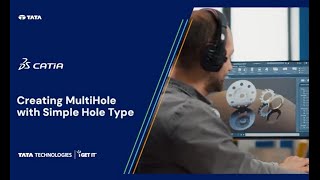
catia v5 multihole tutorial

Creating a MultiHole with Simple Hole Type in CATIA V5 R34

In this Techtip, we’ll delve into the new MultiHole tool with …
Read more
what is Computer Aided Manufacturing_banner image

What is Computer Aided Manufacturing (CAM)? [Detailed Guide]

Have you ever wondered how intricate parts for our favorite gadgets …

Read more
Mechanical Design Engineers interview question_- blog banner

Top 50 Design Engineer Interview Questions & Answers – [Updated]

My first mechanical design interview was a nerve-wracking experience. I spent …
Read more
CAD Drawing view blog banner

Engineering CAD Drawing Views: Learn Basics, Types & Examples

Engineering drawing views serve as the foundation of technical design processes, …
Read more
SOLIDWORKS vs AutoCAD_blog banner

SOLIDWORKS vs AutoCAD – Which is Better? [Detailed Comparison]

Welcome to the world of Computer-Aided Design (CAD), where precision engineering …

Read more
Corner Relief in Catia V5

How to Use Corner Relief in Catia V5

In this insightful Tech Tip, we explore the nuanced world of …

Read more
Form Submissionggg
Image description
Fill in your details and Submit to Connect

Submit details and we will get back to you!!!

SME
Image description
Join our Author, Campus & Reseller Program

Submit details and we will get back to you!!!

Styled Form
Image description

Show your Interest

Submit details and we will get back to you!!!

SME
Image description
Join our Author, Campus & Reseller Program

Submit details and we will get back to you!!!

Form Submission
Image description
Tell Us Where to Send the Syllabus?

Submit details and we will get back to you!!!

Form Submission
LMS
logo

Autodesk Training Subscription

1010

OR

Verify email

Start your 3 days free trial now


Already have an account? Sign In

By clicking the button above, you accept our terms of use and privacy policy.

LMS
logo

Autodesk Training Subscription

1010

OR

Verify email

(Ensure popup is allowed for this site)

Start your 3 days free trial now

Already have an account? Sign In

By clicking the button above, you accept our terms of use and privacy policy.

LMS
logo

Sign In

Have Organization Sign In?  Use Single Sign On

Don't have an account? Sign Up

OR

logo

Sign Up

Already a user? Sign In

Verify

(Ensure popup is allowed for this site)

OR


Have Organization Sign In?   Use Single Sign On

By Registering you agree to the Terms of Use and Privacy Policy.

logo

Single Sign On

If your company has single sign-on set-up with i GET IT, enter your company's web address to access your unique login page. The format needs to be as such: "domainname.com".

(Ensure popup is allowed for this site)

Not an enterprise user?Sign In
logo

Forgot Password

Enter your email and we'll send you instructions on how to reset your password.